


The Quiet Takeover Nobody Saw Coming
Pinterest has always been the platform where aesthetic vision lives – a place to pin, collect, and organize visual inspiration. But its Collages feature, which lets users cut out elements from images and layer them into freeform compositions, is doing something the original pin grid never could: it is replacing dedicated mood board software for a growing number of designers, marketers, and creative professionals.
Dedicated mood board apps like Milanote, Moodboard, and Canva’s layout tools built entire subscription models around the promise of organized visual ideation. Pinterest just handed that same functionality to its 500-million-plus monthly users without charging a cent extra.
That is a significant competitive blow.
What the Collages Feature Actually Does
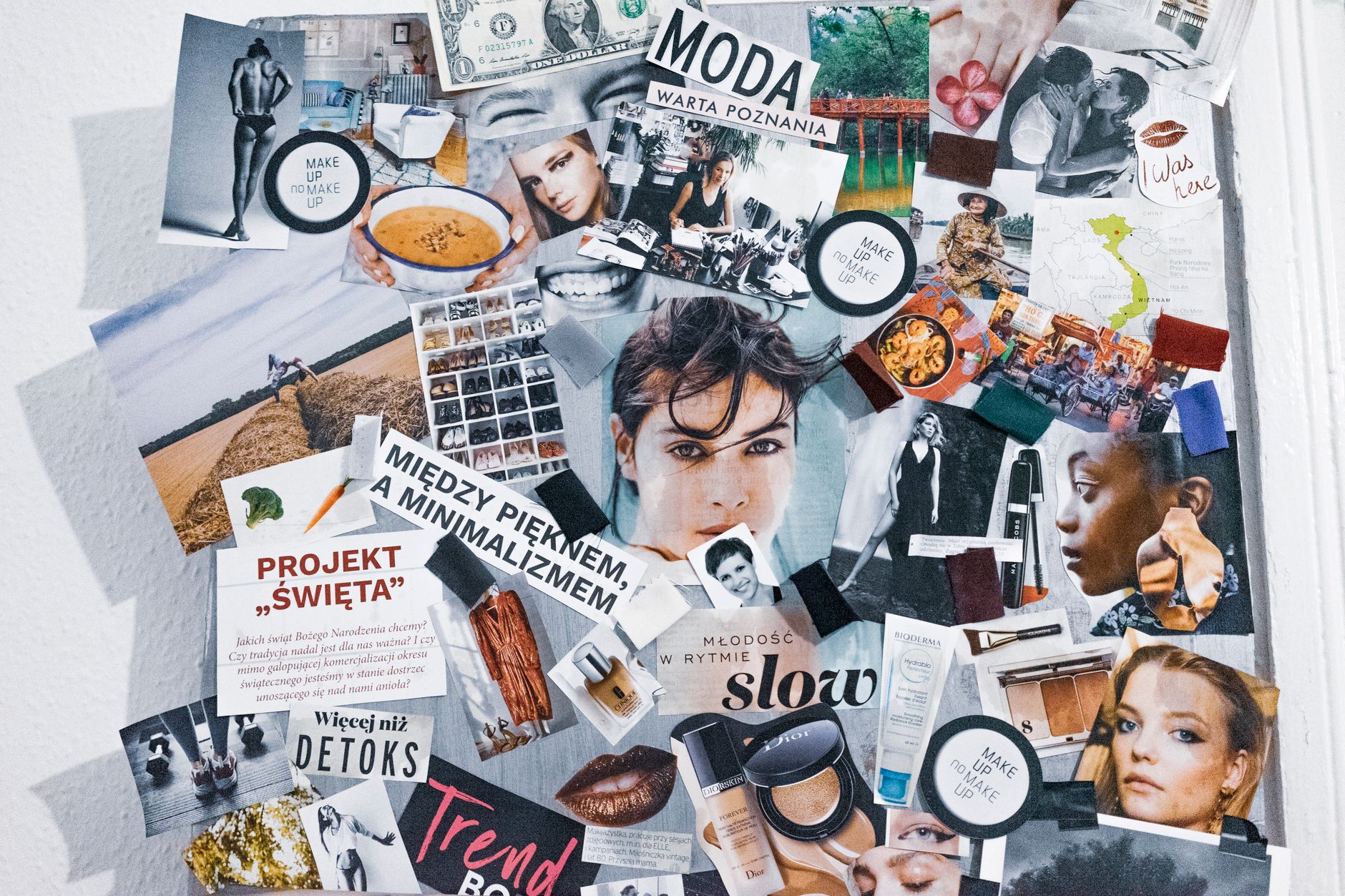
Pinterest Collages works by letting users select any saved Pin and use a cutout tool to isolate specific elements – a chair, a color swatch, a jacket – and then drag those pieces onto a blank canvas alongside other cutouts. The result is a layered, visual composition that looks less like a grid of bookmarks and more like a traditional designer’s mood board. Users can resize, reposition, and stack elements with an interface that feels closer to a basic design tool than a social bookmarking platform.
The feature was initially rolled out to mobile users and has been quietly expanding. What makes it sticky is the existing library. A user who has spent months pinning runway looks, interior design references, or brand color palettes already has all the raw material sitting in their Pinterest boards. There is no import step, no uploading from a camera roll, no hunting for assets elsewhere. The mood board builds itself from content users already curated, which removes the biggest friction point that competing apps have never fully solved.
For social media managers and brand strategists specifically, this matters because mood boards are not decoration – they are working documents. They communicate visual direction to photographers, video editors, and paid media teams before a campaign goes anywhere near production. Having that workflow live inside Pinterest, where visual inspiration is already being collected in real time, collapses two separate steps into one.
Why Mood Board Apps Are Feeling the Pressure
Standalone mood board apps have always asked users to do a lot of manual work. You find an image on Pinterest, save it to your camera roll, open your mood board app, upload the image, crop it, arrange it, and then repeat that twenty more times. The workflow is fragmented by design because those apps were built before social discovery platforms matured into content libraries. Pinterest Collages cuts directly through that loop.
The social layer also adds something mood board apps cannot replicate easily. Collages on Pinterest are shareable, discoverable, and remixable within a platform where other users are actively browsing for visual ideas. A brand creative director who builds a campaign mood board as a Collage is not just making a private reference document – they are potentially building an audience touchpoint. That dual function, private ideation tool and public content piece, is a combination that Milanote or even a tool like Canva cannot offer within a single native workflow.
There is also the algorithm advantage. Pinterest’s visual search and recommendation engine has been trained on billions of images over more than a decade. When a user starts building a Collage around a specific aesthetic – minimalist coastal interiors, say, or dark academia fashion – the platform actively surfaces more relevant cutout material from across its index. No dedicated mood board app has that kind of recommendation muscle sitting underneath it. The tool gets smarter the more you use it, not because of any artificial intelligence marketing pitch, but because the underlying discovery engine was already doing that work before Collages existed.
What This Means for Marketers and Content Creators
For marketing teams already using Pinterest as part of their content strategy, the Collages feature is a natural extension of an existing workflow rather than a new tool to learn. Campaign ideation, visual brief creation, and trend tracking can now happen within a single platform session. A social media manager planning a seasonal campaign can move from discovery to composition to sharing without switching tabs or apps.
There is a broader pattern worth watching here, where social platforms are absorbing functionality that once required standalone software subscriptions. This mirrors what happened when Instagram added scheduling previews, when TikTok embedded its own editing suite, or when LinkedIn began hosting long-form video directly rather than linking out. Each of those moves quietly made a category of third-party tools less essential. Pinterest Collages fits exactly that pattern for the mood board category.
Independent creatives – freelance stylists, interior designers, brand consultants – are particularly well positioned to benefit. Many were already using Pinterest as their primary visual research tool and paying separately for mood board software to present that research to clients. Collages effectively eliminates the second subscription without asking them to change their research habits at all.
The app that gets quietly displaced first will probably not be the biggest name in the category – it will be the mid-tier tool that built its entire value proposition on doing one thing Pinterest now does for free, inside a platform where its target users already spend hours every week.