



When a Notes App Starts Running Your Editorial Calendar
Content teams have long treated their tools as separate categories: one app for writing, one for scheduling, one for collaboration, one for planning. CoSchedule built its reputation on being the dedicated home for editorial calendars, and for years that specialization was its strongest argument. But Notion’s AI Calendar is eroding that argument in a very specific way – not by being better at scheduling, but by collapsing the distance between where content lives and where it gets planned.
The shift is quiet because it happens at the workflow level, not the feature level. A team using Notion for briefs, drafts, and SOPs doesn’t make a dramatic decision to replace their calendar tool. They just start using the calendar view that’s already inside Notion, then connect it to their content database, then let the AI assistant fill in gaps – and one day the CoSchedule tab stops getting opened.
This is how category-defining tools lose ground: not to direct competitors, but to platforms that make the switching cost feel like zero.

What Notion’s AI Calendar Actually Does
Notion’s AI Calendar, rolled out broadly after the company’s acquisition of Cron, functions as a smart layer on top of whatever databases a team already has inside Notion. For content teams, that means it can pull directly from a content pipeline database, recognize patterns in publishing frequency, and suggest scheduling blocks based on what’s due, what’s in draft, and when team members are available. It is not a standalone scheduling tool that requires migration – it extends something teams are already using daily.
The AI component does the work that used to require a project manager’s manual attention. If a blog post has been sitting in “In Review” for five days, the calendar flags it. If three pieces are scheduled to publish on the same day while the following week is empty, the AI surfaces that imbalance without anyone having to run a report. CoSchedule has similar features, but they only work if CoSchedule is where your content actually lives – and for most content teams running Notion-first workflows, it isn’t.
There’s also the integration layer. Because Notion AI Calendar connects natively to Google Calendar, team schedules, and the entire Notion workspace, it can cross-reference a writer’s availability with a deadline without leaving the app. CoSchedule integrates with external tools too, but each integration adds friction. Notion removes friction by never requiring the handoff in the first place.
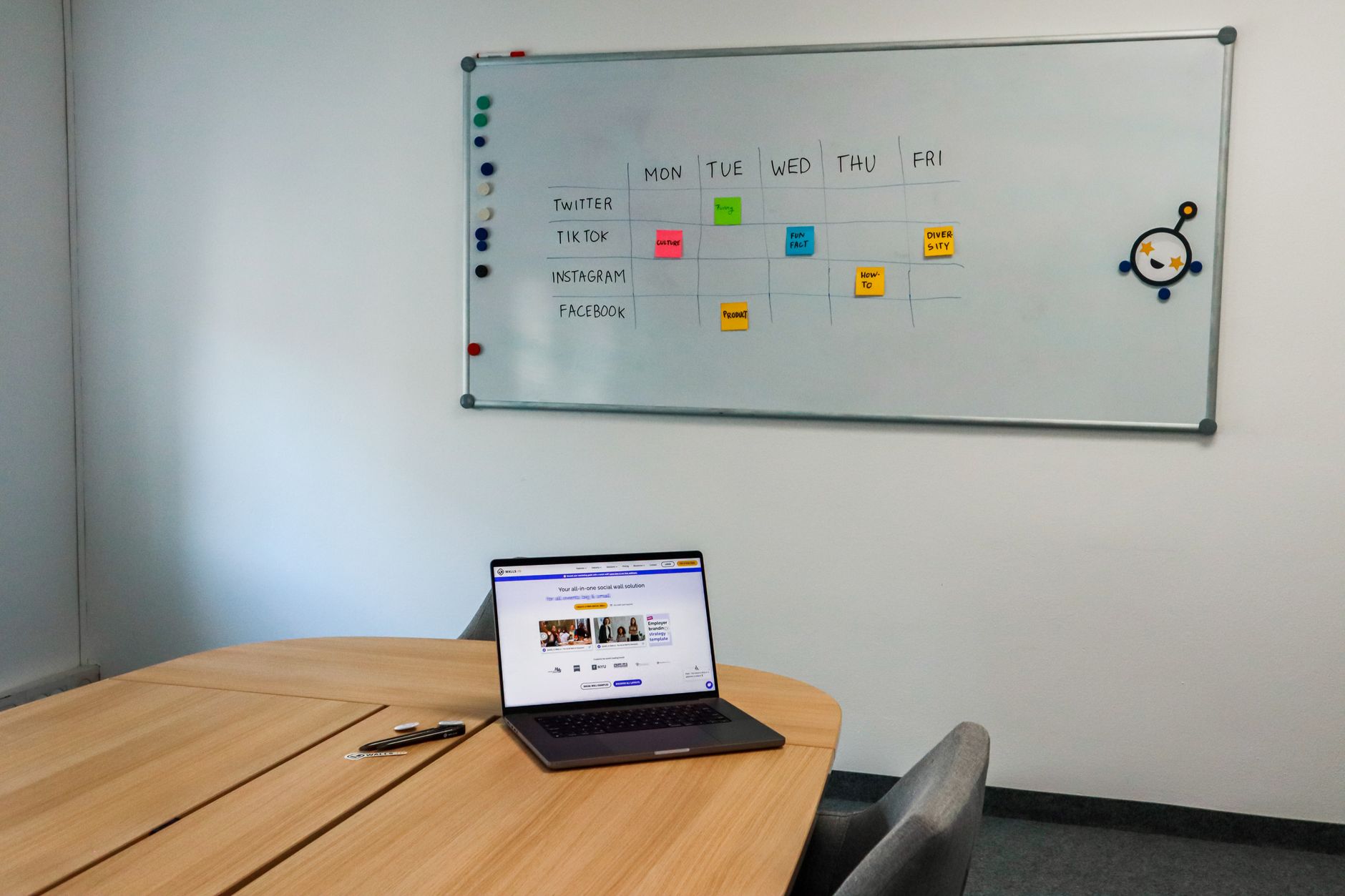
Why CoSchedule Struggles to Compete Here
CoSchedule’s core product was designed around marketing teams that needed a centralized place to coordinate across channels – social, blog, email, paid – with separate team members owning each lane. That’s a real use case, and CoSchedule handles it well. But content teams, especially smaller or more agile ones, have moved toward a different model: fewer channels, tighter collaboration, and a single source of truth that the whole team touches every day. Notion is that source of truth for a growing number of those teams. CoSchedule is not.
The pricing gap doesn’t help CoSchedule’s position either. Notion’s AI features come bundled into plans that teams are already paying for to run their wikis, track projects, and store documentation. Adding the calendar layer doesn’t mean adding a line item. CoSchedule’s marketing suite, meanwhile, carries a price point that’s easy to cut when leadership asks what tools the team actually uses every week. If the honest answer is “mostly Notion,” the math is straightforward.
CoSchedule also hasn’t moved aggressively into AI-assisted planning in a way that changes the daily experience for users. Its ReQueue feature, which automatically reshares evergreen content, is genuinely useful for social-heavy teams. But for teams whose primary output is longer-form content – articles, newsletters, video scripts – that feature doesn’t move the needle. Notion’s AI, by contrast, is embedded into the writing and planning process simultaneously, which is where content teams actually spend their time. Tools like Metricool’s unified dashboard have followed a similar logic – winning users not by out-featuring incumbents, but by reducing the number of tabs a person needs open to do their job.
The Real Cost of Staying on CoSchedule
Switching costs are real, and CoSchedule’s defenders are right to point them out. Teams with years of historical content data inside CoSchedule, established approval workflows, and managers who have built their Monday morning routines around its interface have genuine reasons to stay. Migrations are painful. Retraining takes time. And Notion’s Calendar is not a fully mature product – teams with complex multi-channel publishing operations will find gaps.
But the cost of staying is also real and less visible. Every time a writer finishes a draft in Notion and then has to update a status in CoSchedule, that’s a duplicate action. Every time a deadline shifts and someone has to sync that change across two systems, that’s potential for error. The overhead of maintaining two tools doesn’t show up on a budget line, but it shows up in team energy, in small miscommunications, and in the creeping sense that the tools are working against the team rather than with it.

Content teams that have moved fully into Notion for planning and execution report that the calendar becomes self-maintaining in a way that externally-managed tools never quite achieved – because the data feeding it is the same data the team is already updating as part of their normal work. When a tool stops requiring maintenance and starts just reflecting reality, the question of whether to keep paying for an alternative answers itself.
Frequently Asked Questions
Can Notion’s AI Calendar fully replace CoSchedule for content marketing teams?
For teams already using Notion as their primary workspace, the AI Calendar covers most editorial planning needs. Teams with complex multi-channel publishing or heavy social scheduling may still find CoSchedule’s dedicated features useful.
What makes Notion’s AI Calendar different from a standard calendar view?
It connects directly to Notion databases, surfaces scheduling imbalances automatically, and cross-references team availability – making it an active planning layer rather than a passive display tool.