


Screen recording tools have become essential for social media marketers creating tutorials, product demos, and educational content. While Loom dominates the market with its user-friendly interface and cloud storage, several free alternatives offer superior features for social media content creation.
The demand for video content across platforms like TikTok, Instagram Reels, and YouTube Shorts has pushed creators to seek tools that deliver professional results without subscription fees. These alternatives not only match Loom’s basic functionality but often exceed it with advanced editing capabilities, better compression algorithms, and specialized features designed for social media optimization.
1. OBS Studio – Professional Broadcasting Power
OBS Studio stands as the gold standard for free screen recording and live streaming software. Originally designed for Twitch streamers and content creators, this open-source powerhouse offers unlimited recording time, multiple scene compositions, and advanced audio mixing capabilities that far exceed Loom’s basic offerings.
The software excels at creating multi-layered content perfect for social media. Users can simultaneously capture their screen, webcam footage, and multiple audio sources while applying real-time filters and effects. This makes it ideal for creating engaging tutorial content where personality and presentation matter as much as the information being shared.
For social media marketers, OBS Studio’s scene transitions and custom layouts create polished content that stands out on crowded feeds. The learning curve is steeper than Loom’s point-and-click simplicity, but the payoff includes professional-grade results and complete creative control over the final output.
2. ShareX – Screenshot and Recording Swiss Army Knife
ShareX transforms screen capture into an art form with over 80 destination options and extensive customization features. This lightweight Windows application combines screen recording with powerful annotation tools, making it perfect for creating step-by-step social media tutorials and product demonstrations.
The tool’s automatic upload capabilities integrate seamlessly with major platforms including YouTube, Twitter, and custom FTP servers. Users can set up workflows that automatically process, watermark, and upload content to multiple destinations with a single click. This automation saves significant time for marketers managing content across multiple social channels.
ShareX’s region capture and scrolling capture features prove invaluable for creating comprehensive how-to content. The ability to capture entire web pages or specific interface elements ensures tutorial creators can show complete processes without awkward scrolling or multiple clips.
3. Screencast-O-Matic – Cloud-Based Simplicity
Screencast-O-Matic bridges the gap between Loom’s simplicity and professional recording software’s complexity. The browser-based recorder requires no downloads while offering features specifically designed for educational and marketing content creation.
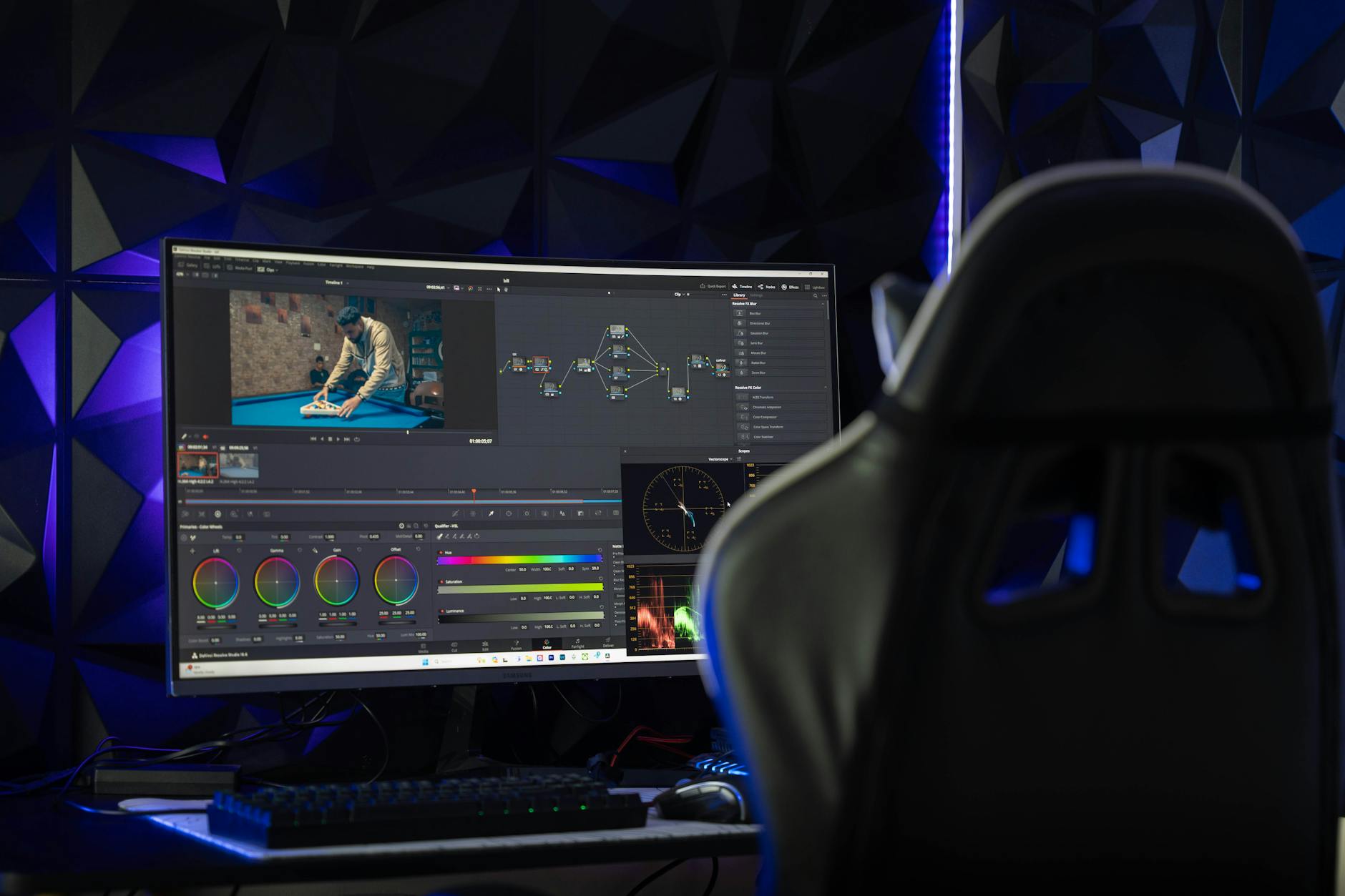
The platform’s built-in editor includes trimming, cutting, and basic effects that streamline the content creation process. Users can add captions, callouts, and zoom effects directly within the browser, eliminating the need for separate editing software. This integrated approach speeds up production workflows for time-sensitive social media campaigns.
The free tier provides 15-minute recordings with watermarked output, making it suitable for quick tutorials and product teasers. The cloud storage integration ensures content remains accessible across devices, while direct publishing options connect to YouTube and other video platforms with minimal friction.
4. Bandicam – High-Performance Game and Screen Recording
Bandicam specializes in high-quality recordings with minimal system impact, making it ideal for capturing smooth gameplay footage and resource-intensive applications. The software’s hardware acceleration ensures professional results even on modest hardware configurations.
The tool’s real-time drawing feature allows creators to highlight important elements during recording, perfect for creating engaging tutorial content for social platforms. Mouse cursor effects and click animations add visual interest that helps maintain viewer attention during longer explanatory videos.
Bandicam’s compression technology produces smaller file sizes without sacrificing quality, crucial for creators managing storage costs and upload times across multiple social platforms. The software supports various output formats optimized for different social media specifications.
5. FlashBack Express – Professional Editing Without the Price Tag
FlashBack Express delivers professional video editing capabilities typically reserved for premium software. The comprehensive editor includes multi-track timeline editing, green screen effects, and audio enhancement tools that transform basic screen recordings into polished social media content.
The software’s motion effects and zoom capabilities create dynamic presentations from static screen captures. These features prove particularly valuable for creating engaging product demonstrations and software tutorials that maintain viewer engagement across platforms with short attention spans.
FlashBack Express supports direct export to popular social media formats and resolutions, streamlining the publishing process. The built-in templates provide starting points for common content types, while advanced users can create custom configurations for consistent branding across video content.
Each alternative offers unique advantages over Loom’s basic feature set while maintaining the accessibility that makes screen recording approachable for all skill levels. The choice between these tools depends on specific content needs, technical requirements, and integration preferences.
Modern social media marketing demands high-quality video content that captures attention within the first few seconds. These free alternatives provide the professional capabilities necessary to create compelling content without ongoing subscription costs. Whether focusing on detailed tutorials, quick product demos, or educational content, each tool offers specialized features that enhance the final output beyond what traditional screen recording software provides.
The key to maximizing these tools lies in understanding each platform’s strengths and matching them to specific content objectives. Competitor analysis tools can help identify which video formats and styles perform best in your industry, informing tool selection and content strategy decisions.
Frequently Asked Questions
Which free screen recorder is best for beginners?
Screencast-O-Matic offers the simplest browser-based interface similar to Loom but with better editing features.
Can these tools record unlimited length videos?
OBS Studio and ShareX offer unlimited recording time, while others have time restrictions on free plans.